

Open source, MIT licensed
A coding agent that verifies its own work.
Give Nova a task. It reads your codebase, plans the change, edits files, runs the tests, then looks at whether the tests actually pass. If they don't, it takes the failure back as feedback and tries again.
- tools bound at startup
- 38
- in-session subagents
- 12
- model providers
- 7
- MCP presets
- 12
- sandbox backends
- 6
Proof, not the pitch. What Nova does with those numbers is the rest of the page.
nova ❯nova --task
One task, start to finish.
The shape of a real run: the work, the part where it failed, and what it did about the failure. Every step here is a capability described later on this page, except the last two, which need a setting turned on.
Add rate limiting to the API. Use the existing Redis client, cover the public endpoints, and add tests.
- ✓Exploring repository
- ✓Found the existing Redis client in
core/cache.py - ✓Planning implementation
- ✓Implemented a sliding-window limiter
- ✓Added tests
- ✓Running the suite2 failed
- ✗Limiter ran before auth: middleware order
- ✓Moved the limiter behind the auth middleware
- ✓Running the suite again148 passed
nova ❯open verify.book # the differentiator
Code written isn't the same as a task finished.
Plausible code is the easy half. Nova checks the result against what you actually asked for. When the check fails, the failure becomes the input to the next attempt instead of something you discover later.
Verify passes
The run is done, and the verdict and the diff that earned it are stored.
Verify fails
The failure comes back as feedback and the loop runs again, up to three attempts, then reports honestly instead of guessing.
What the grader actually checks
Five criteria: did the run respond to the request, did it write files, are there no errors, do the tests pass, and did it modify the tests to get there instead of fixing the code. A separate model call scores them.
Turning it on
It is opt-in, and off by default, because grading costs one extra
model call per turn. /learning on grades each finished run, and
/goal rubric <criteria> holds a specific piece of work to your
own criteria, revising up to three times.
nova ❯open code.book
Describe the behaviour. Let it find the code.
You know what the code does. You don't always know what it was called, or which of eleven files holds it. Semantic search answers the first, so you don't have to answer the second.
- description-based search
- related-code lookup from any line
- ripgrep-backed file search
Search that returns code, not filenames
Two embeddings models fused with keyword search, so "where do we validate webhook signatures" ranks the function that does it. Returns the relevant chunks instead of whole files.
From a file and line
Point at a line and get the code that resembles it, which is how you find the other half of a change that has to stay symmetrical.
Long sessions don't have to lose the plot
As a session grows, Nova makes room instead of running out. Big
tool results are written to disk, older results are cleared but kept readable
under /cleared/, and the conversation is summarised with the most
recent turns preserved.
Sized to your model
The thresholds come from the model's real context window, not a fixed number, and Nova always holds back an 8k-token reserve so a long run has somewhere to put its conclusion.
nova ❯open build.book
Give it the jobs you'd normally break apart yourself.
A change that touches a parser, a migration and a test file is three jobs with dependencies. Nova splits the work, and when a piece is genuinely separable it hands it to a subagent with its own context.
code-explorerbug-fix-agentbrowser-automation-agent- 12 in-session subagents total
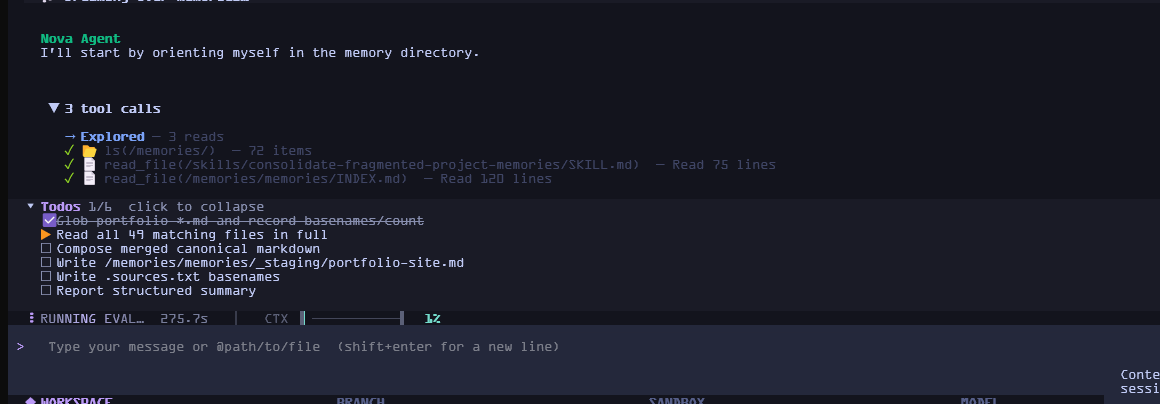
Controversial decisions get a council
/council sends the problem to six agents with
genuinely different priorities. They critique each other anonymously, a judge
ranks them, and you get the top three. Nothing is built until you approve one.
Questions that need reading
/research fans a question across research
subagents, with a fact-check pass before the answer reaches you. Three by
default, up to six.
nova ❯open safe.book
Autonomous doesn't mean uncontrolled.
Nova will edit your files and run commands. What it won't do is decide on its own what counts as risky. Every tool has a tier, and the tiers are yours to set.
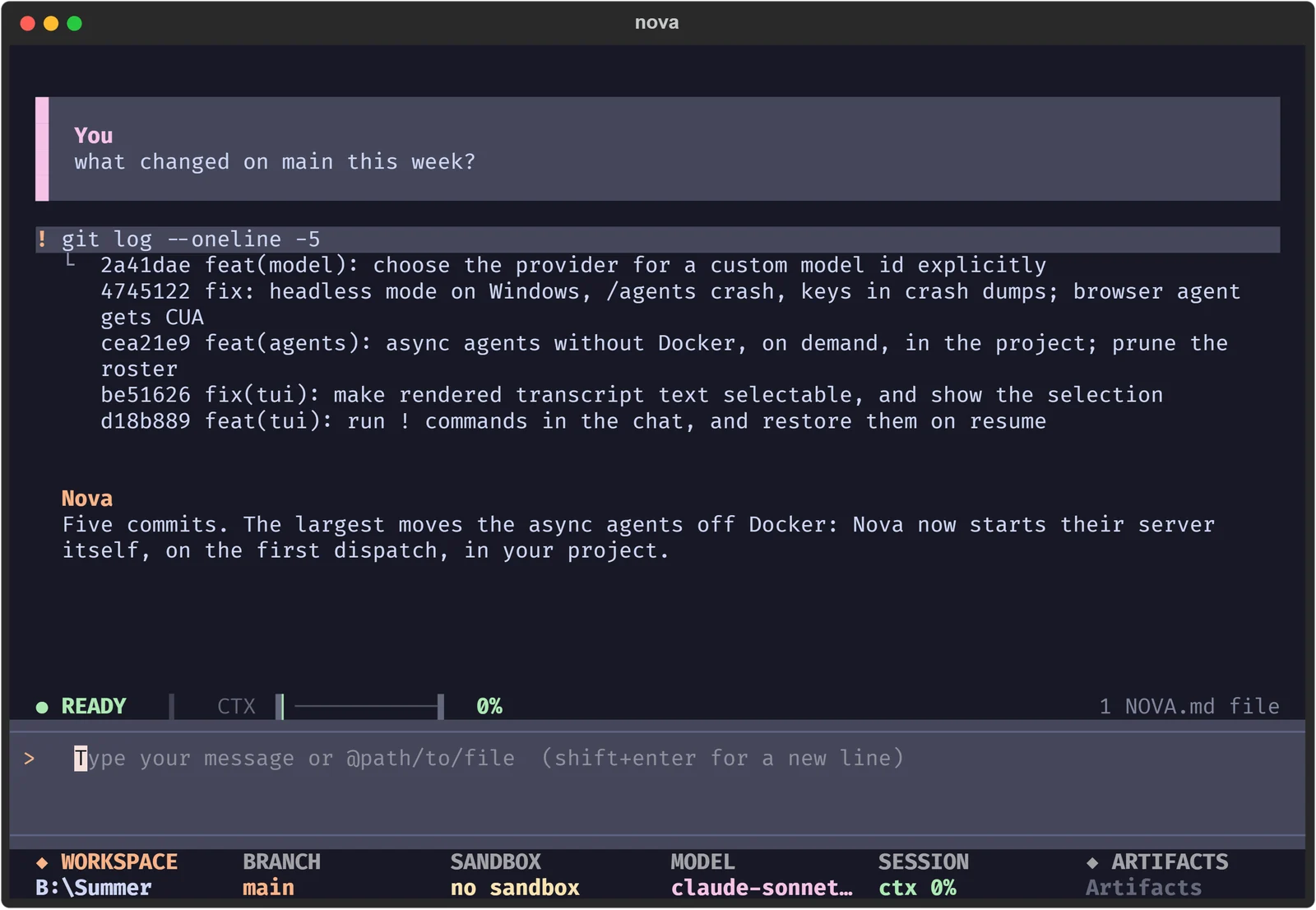
!, its output inline,
and Nova's answer below it.Three tiers, per operation
Every tool is allow, ask or
deny, with hard-coded denials for things like sudo
and rm -rf / that your config cannot loosen. Editing and shell
commands ask by default. Set your own in
.nova/approval-policy.json.
Undo is already done
Before Nova overwrites or deletes a file it copies the original
into a snapshot. /restore puts it back, whether you asked for the
change or not.
- per-operation approval policy
- snapshots before every write and delete
/restore- 6 sandbox backends
--deny-toolsfails closed in CI
nova ❯open where.book
Use it where you already work.
The terminal is the main event, not the only one. The same agent runs headless in CI, answers from Discord or Telegram, and accepts runs from a signed webhook.
Nova is the agent and runtime layer, not a model. Pick a provider in
/model, including any model id a provider hasn't listed yet.
# machine-readable output, capped at 10 turns,
# approvals denied instead of awaited
uv run nova -p "run the suite, report failures" \
  --output-format json \
  --max-turns 10 \
  --deny-tools

# or pipe the prompt in
echo "explain src/main.py" | uv run nova -p
nova ❯open grow.book
It learns from the work it gets wrong.
To be precise about what this means: Nova does not retrain your model. It records what happened, grades it, retries when the grade is a fail, and writes the lesson down where future sessions will read it. The improvements are prompts, skills and thresholds on disk, all of which you can read and delete.
Trace
Every run's tool calls, timings and verdicts go to a durable store.
Grade
A separate model call scores the result against five criteria.
Retry
A failing verdict re-runs the task with the feedback, up to three times.
Learn
A repeated failure can become a skill file or a tuned prompt.
Off by default, and still off in most cases even when on: a candidate prompt only replaces the current one after enough runs to be worth trusting, and you can roll it back.
nova ❯cat INSTALL.md
Two commands and you are running.
Python 3.11 or newer. Nothing is installed globally.
git clone https://github.com/Babitdor/NovaCode.gitcd NovaCode && uv syncuv run novagit clone https://github.com/Babitdor/NovaCode.gitcd NovaCode; uv syncuv run novauv tool install "novacode-cli @ git+https://github.com/Babitdor/NovaCode.git"novaVoice input and output is optional and adds about 2 GB: uv pip install -e '.[voice]'
nova ❯man nova
Questions people ask first.
Do I need a global install?
No. uv run nova runs the current code straight from the repo, so there are no stale copies and no PATH juggling. Add the repo's .venv to your PATH if you want a bare nova command anywhere.
Which model providers work?
OpenAI, Anthropic, Google Gemini, NVIDIA, OpenRouter, OpenCode, and local Ollama. Switch from the /model picker, including any model id a provider has not listed yet. Reasoning effort changes without a restart via /effort.
Does it stay fast in a long session?
That is what it is tuned for. Status updates repaint in place, rendered Markdown is cached, subagents compile on first use, and garbage collection runs while you are idle. Any freeze over one second is logged to ~/.nova/logs/freeze.log.
Does Nova check its own work by default?
No, and this is worth being clear about. Grading adds one extra model call
per turn, so it is off until you ask for it. /learning on grades
each finished run against five criteria. For one specific piece of work,
/goal rubric <what counts as done> is tighter than a general
grade, and revises up to three times.
Does the self-improvement retrain my model?
No. There is no training anywhere in Nova. What changes are files on your disk: a skill written from a repeated failure, a prompt candidate promoted after enough runs, and tuned thresholds. You can read all of them, and roll them back.
What happens when a tool call needs approval?
It stops and asks you, configurable per operation in
.nova/approval-policy.json. Hard-coded denials, like
rm -rf /, can't be loosened by that file. Headless runs are the
exception: --deny-tools rejects everything, so a pipeline fails
closed instead of hanging on a prompt nobody is there to answer.
Can I use it away from my machine?
Yes. Bridge it to Discord or Telegram. Telegram takes voice notes, gives each session its own forum topic, and deletes a question once you have answered it. A signed webhook lets other systems start a run.
Install it and give it a real task.
Free, MIT licensed, and it runs on the model and machine you already have.